
Guides
Dread Fields Demo Checker: Buy, Wait, or Stop
Quick Answer
Use the Dread Fields demo before buying if you are unsure about horror tone, dark-scene readability, first-person controls, or the short farm-chore loop. If the full game is available, the demo is still a quick comfort test before a spoiler-light first run.
Demo / First Run Checker
Decide Buy, Wait, Or Stop Without Spoiling The Farm
Save the comfort checks that matter before turning Dread Fields into an ending hunt.Run the demo, tune the basics, and stop before exact ending claims if the first run still feels fresh.
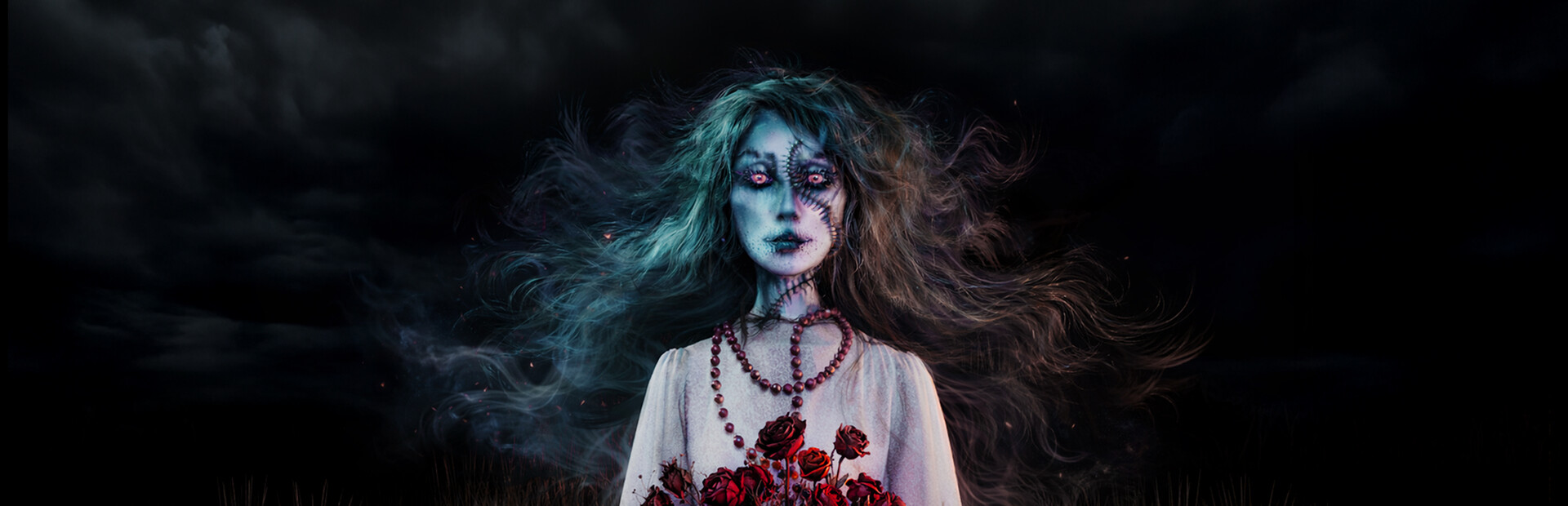
The Dread Fields demo is the safest way to decide whether the full game is for you. Steam describes Dread Fields as a slow-burn rural horror game with farm chores, multiple endings, and a one-hour-plus first playthrough. That makes the demo more than a teaser. It is a tone check, a control check, a dark-scene readability test, and a spoiler-safe way to learn whether the farm routine is appealing before the horror layer takes over.
Last checked: May 29, 2026. Steam has a Dread Fields Demo page with a download option. Use the checker above for current controls, readability, scare tolerance, and performance; do not assume every demo event or route is identical to the release build.
Quick Answer
Play the demo if you are undecided, horror-sensitive, or checking whether the Steam release is worth buying today. Use the checker above during one short session: check first-person movement, small interact prompts, dark rooms, rural chores, sound intensity, and spoiler comfort. If those pass, the full release is easier to judge. If any one of those fails hard, waiting is smarter than forcing the rest of the demo.
Demo Or Full Game Today?
| Your Steam page shows… | Use the demo for… | Use the full game for… |
|---|---|---|
| Full game available | Comfort check before refund-window decisions | Real first run, ending route, save/reload, final performance |
| Demo only | Controls, tone, dark-scene readability, farm feel | Wait until the full button appears |
| Both demo and full game | A short no-risk test | A clean blind run after the demo passes |
| Reviews but no install button | Spoiler-light comfort reports | Refresh Steam later and avoid unofficial downloads |
How To Use The Demo Checker
The checker gives one of five practical reads: play the demo, tune first, stop safely, wait for reviews, or keep it as a buy candidate. Use the result before opening walkthrough or endings pages.
| Checker result | What it means | Best next page |
|---|---|---|
| Play demo | The demo still needs a clean tone and comfort test | Beginner Guide |
| Tune first | Brightness, sensitivity, or audio may be hiding the real experience | Steam Deck Guide |
| Stop safely | The horror tone already crossed your comfort line | Release Date |
| Wait for reviews | The routine or performance is not convincing yet | Dread Fields Hub |
| Buy candidate | Controls, chores, and tone passed the big checks | Beginner Guide |
Demo Test Route
| Step | What to check | Why it matters |
|---|---|---|
| Start screen and settings | Resolution, brightness, audio, language, mouse sensitivity | Horror games depend on readable dark scenes |
| First movement | Walking, turning, object interaction, doors, small prompts | First-person comfort decides the whole session |
| Farm layout | House, yard, garden, animals, well, forest approach | You need a mental map before tension rises |
| Chore loop | Cow, chickens, water, wood, mushrooms, fishing, plants if available | Chores are the game’s calm surface |
| Audio and atmosphere | Background noise, silence, sudden changes, directional cues | The horror is slow-burn, so sound matters |
| Quit and return | Save, restart, settings persistence | Useful before buying for a full run |
One-Session Demo Plan
| Minute | Do this | Stop if… |
|---|---|---|
| 0-3 | Tune brightness, sensitivity, subtitles or language, and audio | Dark rooms or prompts stay unreadable |
| 3-8 | Walk the house and yard until you know your reset point | First-person movement feels uncomfortable |
| 8-15 | Try cow, well, chickens, garden, wood, mushrooms, or fishing if available | Chores feel like busywork before tension starts |
| 15-25 | Let the atmosphere build without reading ending claims | Audio or theme becomes too intense |
| After the first clear answer | Decide buy, wait, or stop | You are only continuing to strip the demo for secrets |
What The Demo Can Tell You
The demo can tell you whether the game feels good in your hands. That is especially important because Dread Fields is first-person and small. A farming RPG can survive slightly clumsy controls because the long loop carries it. A compact horror game cannot. If looking around feels floaty, if prompts are hard to read, or if the dark scenes are uncomfortable on your display, you should know that before launch day.
The demo can also tell you whether the farming layer works for you. Steam lists ordinary rural tasks: milking the cow, mowing grass, carrying water from the well, feeding the cat, picking mushrooms, chopping wood, fishing, growing plants, taking care of the garden, feeding chickens, and collecting eggs. If you enjoy the rhythm of those chores, the later horror has stronger contrast. If the chores feel like busywork immediately, the full game may rely on atmosphere more than routine.
What The Demo Cannot Prove
The demo should not be treated as a full ending chart unless the current demo explicitly reaches a complete route. Steam confirms multiple endings for the full game, but exact ending triggers are the kind of detail that can change or remain hidden until launch. A demo can show tone, setup, and early mechanics. It may not show the final decision logic.
It also cannot prove final performance for every system. If the demo runs well, that is a good sign. If the full build adds scenes, effects, or additional areas, the launch build still deserves a quick settings check.
Buy Or Wait After The Demo?
| Demo result | Better decision |
|---|---|
| Controls feel comfortable and the atmosphere works | Check the current Steam price, then buy if the horror tone fits |
| Chores feel good but horror is too strong | Wait for spoiler-safe impressions before buying |
| Horror works but prompts are hard to read | Try settings first, then wait for patch or player comfort notes |
| Performance is poor on your PC | Wait for patch notes or a settings guide |
| You dislike the first-person feel | The full game probably will not solve that for you |
Settings To Check Before Judging The Demo
| Setting area | Why it matters | Good sign |
|---|---|---|
| Brightness | Horror darkness should create tension, not unreadable prompts | You can see interactable objects without washing out the mood |
| Mouse or stick sensitivity | A short first-person game feels bad fast if turning is floaty | You can scan a room without overshooting |
| Audio volume | Slow-burn horror leans on small sound changes | Headphones feel tense but not painful |
| Resolution and fullscreen | Visual softness can hide small object changes | Text, doors, tools, and farm objects are readable |
| Save and resume | A compact game should still be easy to return to | Restarting does not make you retune everything |
Demo Notes That Actually Help
The most useful demo notes are not secret theories. They are simple comfort checks: which setting made dark rooms readable, whether mouse sensitivity felt better lower or higher, whether headphones made the atmosphere too sharp, and which farm landmarks helped you stop getting turned around. Those notes make the launch version easier to start without spoiling the story.
For the farm itself, pay attention to how quickly chores teach the space. If you naturally remember the well, animal area, garden, and house after one pass, the full game will be easier to read. If you constantly lose your bearings, slow down in the release build and make the house your reset point after each chore group.
How To Stop The Demo
Stop after a clear tone answer. If the demo already proves the horror is too much, you do not need to force the final scene. If the demo proves the controls feel good and the farm routine has the right unease, you also do not need to strip it for every secret before launch. Leaving some uncertainty is useful for a small horror game.
Spoiler-Safe Demo Rules
Do not pause the demo every minute to search for ending triggers. That will flatten the best part of a small horror game. A better first demo run is simple: explore, do chores, notice changes, and stop reading when a page starts naming late scenes. After one blind demo run, it is safer to open the walkthrough or endings guide if you want structure.
Demo Mistakes To Avoid
| Mistake | Why it hurts | Better move |
|---|---|---|
| Skipping settings | Dark scenes may become unreadable | Tune brightness and sensitivity first |
| Treating chores as filler | Chores teach controls and normalcy | Learn the farm before rushing mystery |
| Playing without sound | You may miss atmosphere cues | Use comfortable audio volume |
| Reading ending spoilers first | The first run loses tension | Play once, then route |
| Assuming demo equals final | Launch builds can differ | Recheck after May 28 |
Next Pages To Open
- Dread Fields release date
- Dread Fields beginner guide
- Dread Fields farming guide
- Dread Fields walkthrough
- Dread Fields endings guide
Sources
FAQ
Is there a Dread Fields demo?
Yes. Steam lists a Dread Fields Demo with a download option.
Should I play the demo before buying?
Yes if you are unsure about horror intensity, first-person controls, dark visuals, or the short playtime.
Does the demo prove all ending routes?
No. Treat the demo as a tone and control test unless the current build clearly confirms a full ending path.
What should I test first in the demo?
Test movement, interact prompts, dark-scene readability, audio comfort, and the basic farm chore loop.