
Guides
Hotel Architect Cheats: Console, Sandbox, and Safe Tests
Quick Answer
Do not trust random Hotel Architect cheat commands unless the current build shows an official console, sandbox option, or developer-supported command list. For now, use save backups, sandbox-style tests, and small layout experiments.
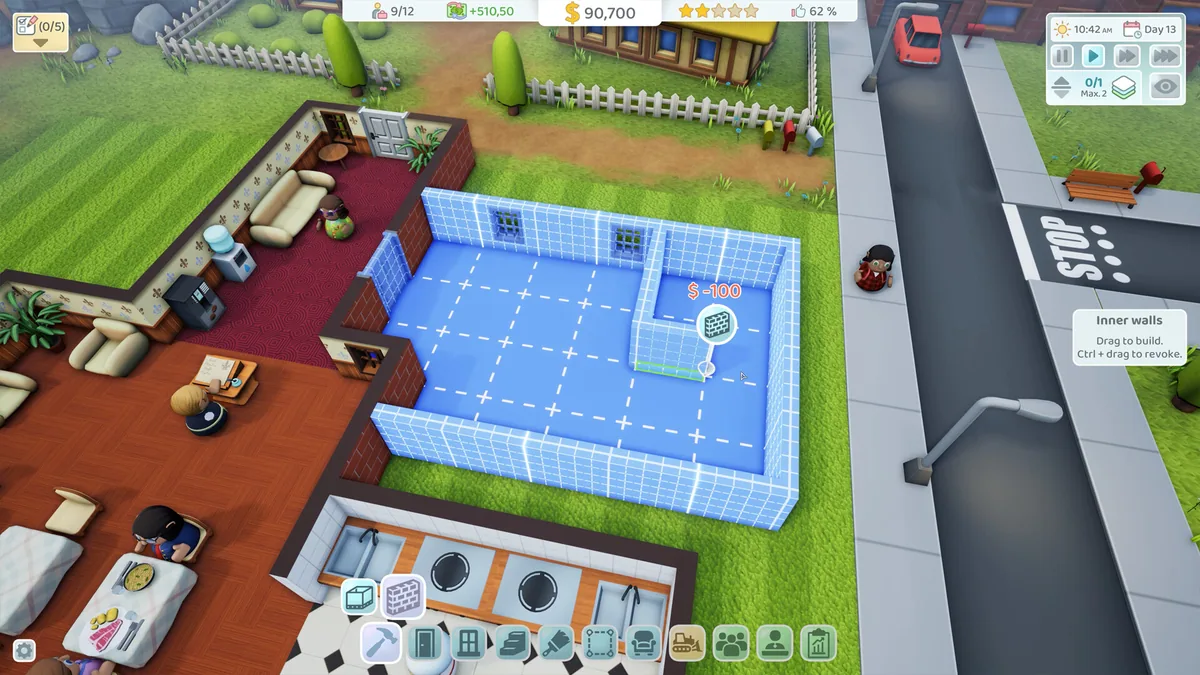
Hotel Architect Tools
Test Layouts Safely Before Risky Claims
Use the current hotel state, not a perfect hidden formula. Pick one room plan, diagnose one symptom, and save rating checks before adding another wing.
Room Plan Picker
Choose the closest goal, then use the output as a small build test before changing the whole floor.
Starter standard room
Repeat one compact room template until guest feedback is predictable.
- Service
- Keep reception, cleaning, and basic services close enough to see the bottleneck.
- Expand
- Duplicate only after the first set stays clean and profitable.
- Risk
- Too much decoration hides whether the room size or service route is the real problem.
Layout, Staff, and Service Diagnostic
Search the visible symptom first. The fix should name a path, room, queue, service, or staff route.
Reception queue builds up
Check:Watch whether guests are blocked by desk count, desk placement, staff timing, or entrance shape.
Fix:Shorten the entrance path first, then add desk or staff only if the route is already clean.
Do not add rooms while check-in is already backed up.Rooms stay dirty
Check:Follow the cleaner route from staff area to the farthest room.
Fix:Shorten the cleaning route or add local support before hiring blindly.
Do not assume payroll solves a hotel that is physically too stretched.Guests complain about service coverage
Check:Compare service placement against the rooms that actually complain.
Fix:Create a local support pocket near demand, then retest one guest wave.
Do not place one beautiful service room at the far edge of the hotel.Comfort stops improving
Check:Compare room size, amenities, noise, and traffic near the room.
Fix:Upgrade one standard template and keep the route calm around it.
Do not add premium furniture while noise or cleaning is still failing.Noise complaints repeat
Check:Look for service rooms, staff traffic, queues, or busy corridors beside guest rooms.
Fix:Add buffer space or move noisy support away from premium rooms.
Do not put the best rooms next to the busiest staff route.Rating improves but profit falls
Check:Separate comfort upgrades from staff and service payroll increases.
Fix:Cut the walking problem first, then keep only staff that remove a visible bottleneck.
Do not chase 5 stars with every service active before revenue is stable.Every expansion creates the same complaint
Check:Run a small test wing with the current best room, service, and staff route.
Fix:Copy the working pattern, not the old broken corridor.
Do not scale a layout that only works while you babysit it.No diagnostics match this filter.
Players search for Hotel Architect cheats because management games make expensive mistakes easy. The honest answer is simple: do not use random commands unless the current build clearly exposes an official console, sandbox mode, or developer-supported command list. A fake money command can waste more time than a bad room layout.
Last checked: May 30, 2026. This page does not claim any official Hotel Architect cheat command. Check the current build’s menus, patch notes, and official channels before trusting console claims.
Quick Answer
| What you want | Safer option |
|---|---|
| Unlimited money to test a layout | Use a separate test save or sandbox option if the build has one |
| Instant 5-star testing | Build a small controlled hotel and change one variable at a time |
| Faster construction testing | Pause, plan, test, then reload if needed |
| Save editing | Avoid unless you accept losing the save |
| Console commands | Use only if officially visible or documented |
Cheat Safety Flow
- Check the current game menu for sandbox or creative options.
- Check official patch notes or developer posts for command support.
- Make a separate test save.
- Build a small version of the layout.
- Watch guest flow, staff routes, complaints, and money.
- Copy only the working idea into your main save.
Safe Test Checklist
| Test step | Good sign | Stop if… |
|---|---|---|
| Backup or separate save | You can return to the old hotel | You are editing the only main save |
| One change at a time | You can tell what fixed or broke the route | Five systems change together |
| Small layout sample | Guests and staff show the pattern quickly | The test needs a full rebuild to read |
| Money watch | Profit trend stays understandable | Unlimited money hides a broken operation |
| Reload check | The layout behaves the same after reload | The test result only worked once |
The point of a safe test is not to make the hotel perfect. It is to learn whether a room size, corridor, staff route, or service cluster works before you spend main-save money.
Good Test Save Ideas
| Test | What it teaches |
|---|---|
| Room size comparison | Whether compact, standard, or premium rooms fit your goal |
| Reception queue test | How many guests the front desk can handle |
| Service distance test | Whether staff travel is the real bottleneck |
| Luxury wing test | Whether premium rooms pay for themselves |
| Staff payroll test | When an extra hire actually helps |
Sandbox-Style Alternatives
| If you wanted a cheat for… | Try this instead | What to watch |
|---|---|---|
| Free money | Duplicate the save or use any visible sandbox option | Whether the layout works without money hiding flaws |
| Instant 5-star rating | Build a tiny rating lab | Which complaint changes after each upgrade |
| Faster staff | Shorten routes before adding payroll | Whether walking or capacity is the real issue |
| Unlock testing | Test the smallest version of the room or service | Whether guests actually use it |
| Risky rebuilds | Save, rebuild one wing, compare, then reload if needed | Profit, queues, cleaning, comfort, and noise |
When A Console Claim Looks Suspicious
| Claim | Safer reaction |
|---|---|
| A command appears only in comments or reposts | Do not use it on a main save |
| The command has no current-build source | Treat it as unverified |
| It asks you to edit save files | Back up first or skip it |
| It promises money but no side effects | Test on a throwaway save only |
| It conflicts with the current menu | Trust the current build over the claim |
What To Avoid
| Avoid | Why |
|---|---|
| Random console commands from comments | They may be fake, outdated, or unsafe |
| Editing the only main save | A mistake can break the hotel |
| Testing five changes at once | You will not know what worked |
| Expanding after a cheat test without checking flow | Money can hide a bad layout |
Next Pages To Open
- Hotel Architect Beginner Guide
- Hotel Architect Layout Guide
- Hotel Architect 5-Star Checklist
- Hotel Architect Hub
Sources
FAQ
Does Hotel Architect have cheats?
Only use cheats if the current build exposes an official console, sandbox mode, or developer-supported command list. This page does not invent commands.
Can I test layouts safely?
Yes. Make a separate test save, build the layout in a small area, watch guest and staff flow, then copy the idea into your main hotel.
Should I edit save files?
Avoid save edits unless you are comfortable losing the save. A separate test save is safer for most players.