AI Tools
Google AI Studio 2.0 AI Review
Last checked: May 15, 2026. This review was refreshed around Gemini prototyping, official Google sources, and builder evaluation notes.
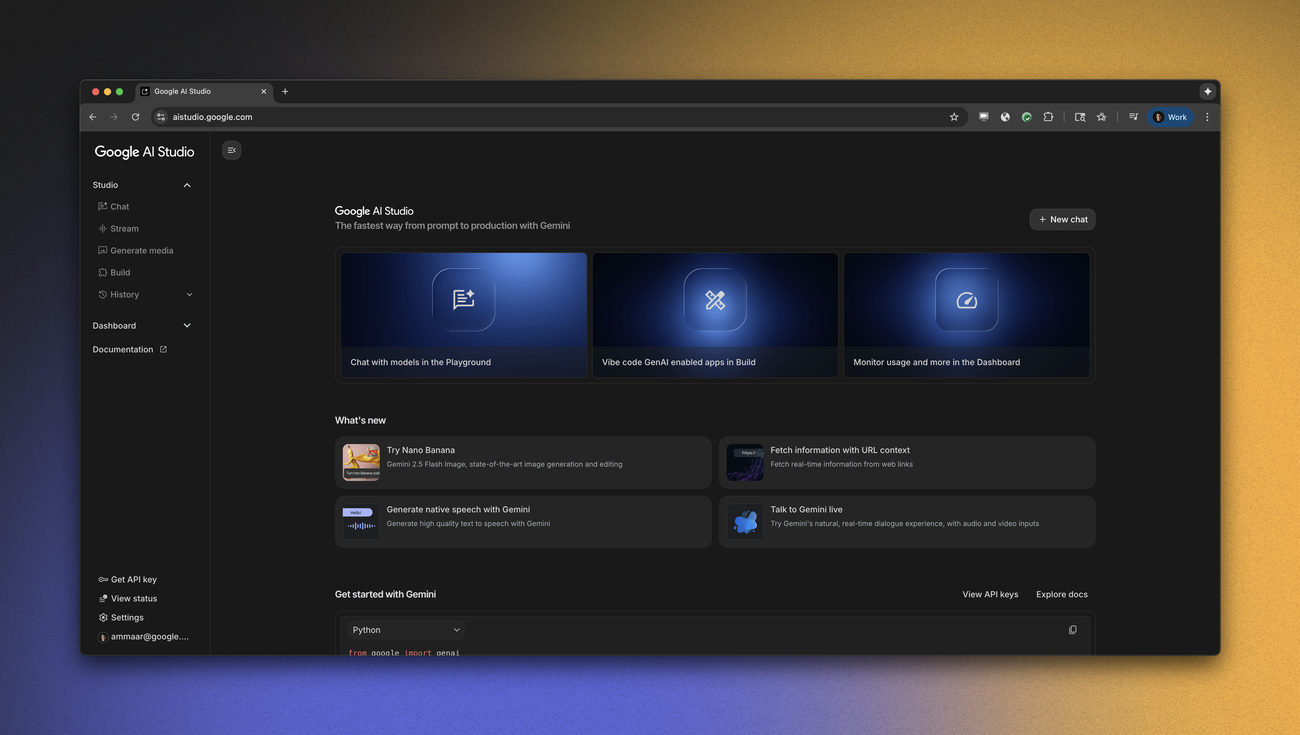
Google AI Studio is for testing Gemini models, prompts, inputs, and small app ideas before you commit to a production setup. It is useful when you want to see how a model behaves with real examples, images, files, or structured prompts. The main decision is not whether it can produce a demo. It is whether the limits, data terms, and deployment path match your project.
Quick Verdict
| Review point | Takeaway |
|---|---|
| Best fit | Prompt testing, multimodal experiments, and Gemini app prototypes |
| Watch first | Model access, account limits, data terms, and API pricing |
| Good comparison | OpenAI playground-style tools, Claude, Cursor, v0, and Replit Agent |
| Official source | Google AI Studio and Google developer announcements |
Where Google AI Studio Helps
Google AI Studio is useful before you write too much application code. You can test prompt shape, compare responses, try multimodal inputs, and decide whether Gemini is a good fit for the job. It is also useful for small prototype flows where you want a quick read on model behavior.
For serious work, keep a record of the prompt, model, input type, and result. That makes it easier to compare later if model availability or default settings change.
What To Check First
- Which Gemini model is being used for the test?
- Are the same features available through the API you plan to use?
- What are the current rate limits and billing rules?
- How does Google describe data use for your account type?
- Can the prototype move into your real app without a rebuild?
Good Evaluation Run
Run one test that uses the kind of input your real project needs. If the app idea depends on images, include an image. If it depends on long instructions, include the real instruction shape. If it needs a tool or API, check whether AI Studio can help you wire the correct Gemini capability or whether you still need separate application code.
| --- | --- | | Model | Exact Gemini model and settings used | | Input type | Text, image, file, audio, video, or mixed input | | Output quality | What worked, what failed, and what needed another prompt | | App path | Whether the result can become an API-backed app later |
The useful habit is to save the prompt, result, and settings together. Google can change model availability and defaults over time, so a clear test note helps you repeat the experiment instead of guessing why a later result feels different.
Pricing Notes
Google AI product limits can vary by model, account, region, and API use. Check official Google pages before making a cost estimate for a production workload.
Alternatives To Compare
| Tool | Better when |
|---|---|
| Replit Agent | You want AI help inside a hosted coding workspace |
| bolt.new | You want a browser-based app prototype loop |
| v0 by Vercel | You mostly need UI generation |
| Cursor | You are editing an existing codebase |
Bottom Line
Google AI Studio is a good place to test Gemini behavior before you choose a deeper build path. Use it with real examples, write down the model and settings, and verify the API and data terms before moving from prototype to production.
Sources
FAQ
Is Google AI Studio free?
Google AI Studio access and limits can change by model, region, and account. Check Google AI Studio for current details.
Who is Google AI Studio best for?
It is best for developers and builders who want to test Gemini prompts, multimodal inputs, and prototype ideas before choosing a production setup.
What should I check before using it for production work?
Check model availability, rate limits, data handling terms, API pricing, and how your prototype will move into a production environment.